Guide
AI document automation: how to choose and scope your first workflow
By Brett Raven, APAC Lead & Board Member, AIREPublished
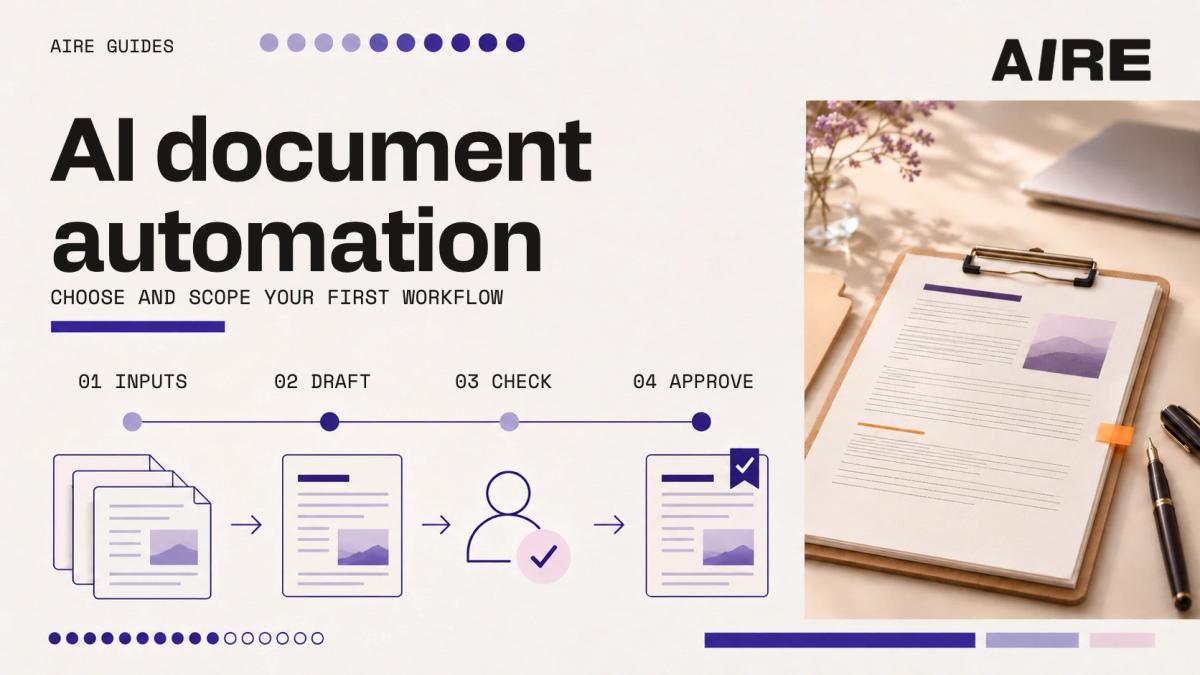
AI document automation uses AI within a defined process to read, extract, classify or draft document content, with its sources, checks, approvals and destination specified. Start with one recurring document that has known inputs and someone who can judge the result, ideally an internal one where a mistake has limited consequences, before connecting your whole document estate.
What changes
This guide helps you turn the choice of a first document into a brief. It applies to work such as proposals, staff CVs, internal reports and invoice checks.
- Choose one document and define a correct finished result before comparing tools.
- Separate the steps suited to fixed rules from those that need AI.
- Test missing information, conflicting sources and unusual cases alongside routine examples.
- Measure the whole task, including checking, corrections and ongoing maintenance.
Choose a document with a clear purpose
Look for work that repeats and has a recognisable output. The person who does it should be able to show a good example and explain why it is good.
A proposal is still too broad if every proposal has a different purpose, approval path and pricing model. A standard proposal for one service is a more useful starting point. Apply the same thinking to reports: choose one existing report for one audience, rather than asking AI to automate reporting across the business.
| Candidate | Useful first boundary | Question to settle |
|---|---|---|
| Staff CV | Update project history in one approved template | Who confirms each project description? |
| Service proposal | Draft standard sections from an approved brief | Which pricing and terms need approval? |
| Monthly internal report | Assemble one report from specified exports | Which source controls each figure? |
| Invoice check | Compare one supplier's invoices with an agreed record | What counts as a discrepancy? |
These examples describe possible scopes. They are not delivery promises or reported client results. If your team cannot agree on the finished document, resolve that first. Automation will otherwise reproduce the disagreement faster.
Map the work around the document
Follow a recent example from request to acceptance. Record each step, including work that happens outside the document editor. You may find that writing is a small part of the task. Finding information, checking the numbers and moving the result between systems may take longer.
Capture:
- The event that starts the work.
- Who supplies each input and where it lives.
- The template and any approved wording.
- The checks, approvals and handoffs.
- The system that receives the finished output.
For example, preparing a proposal could involve a CRM brief, an approved service description, a pricing sheet and a proposal platform. Decide which step the first version will improve.
The broader patterns behind this approach are in our insight on the everyday work businesses want AI to improve.
Decide where AI adds value
A fixed rule is often the clearest way to handle a known calculation or exact match. A template can place approved wording without generating a new version each time.
AI becomes useful when the task involves interpreting variable material: extracting fields from differently formatted documents, classifying text or drafting a summary from approved sources. This part is often called AI document processing, or intelligent document processing. Microsoft's Document Intelligence documentation, for example, describes extracting text, tables, structure and fields from documents (Microsoft Learn). That is one capability within a workflow, not a complete approval process.
Separate these activities in the brief:
| Activity | Approach to consider | Check |
|---|---|---|
| Calculate totals | Formula or business rule | Reconcile against the source values |
| Insert standard wording | Approved template | Confirm the current version |
| Extract fields from variable layouts | Document extraction, potentially using AI | Compare against the source document |
| Draft a narrative | AI using approved material | Check factual support and meaning |
| Approve price or release a document | Named human decision | Record approval before release |
You do not need an autonomous agent for every document task. Use the simplest approach that meets the requirements.
Define the source rules
List the sources the workflow may use. Identify which version is current and who maintains it. Then settle what happens when information is incomplete or inconsistent. A source rule should be specific enough to test. For example:
- Take the customer's legal name from the approved CRM field.
- Use the current service template held in the nominated location.
- Flag a missing price for review.
- Show a conflict between two sources instead of silently choosing one.
- Link extracted facts to their supporting document or record where practical.
Keep approved facts separate from generated wording. A polished sentence should not make an unsupported claim look confirmed. Also define what must never be inferred. That may include commercial terms, qualifications, dates, account details or commitments to a customer.
Set access and approval boundaries
Work out who can authorise use of the input documents before uploading them into a tool. Check the information involved, the approved product and plan, access controls, retention arrangements and relevant organisational obligations. Consider whether sensitive material is necessary for the first test.
The Office of the Australian Information Commissioner advises organisations to assess privacy risks and suitability when adopting commercial AI products, including who can access personal information and how human oversight fits into the process (OAIC, 2024).
Use synthetic or appropriately de-identified examples for initial testing where that meets the purpose. Representative client material should stay within the approved environment and access arrangements.
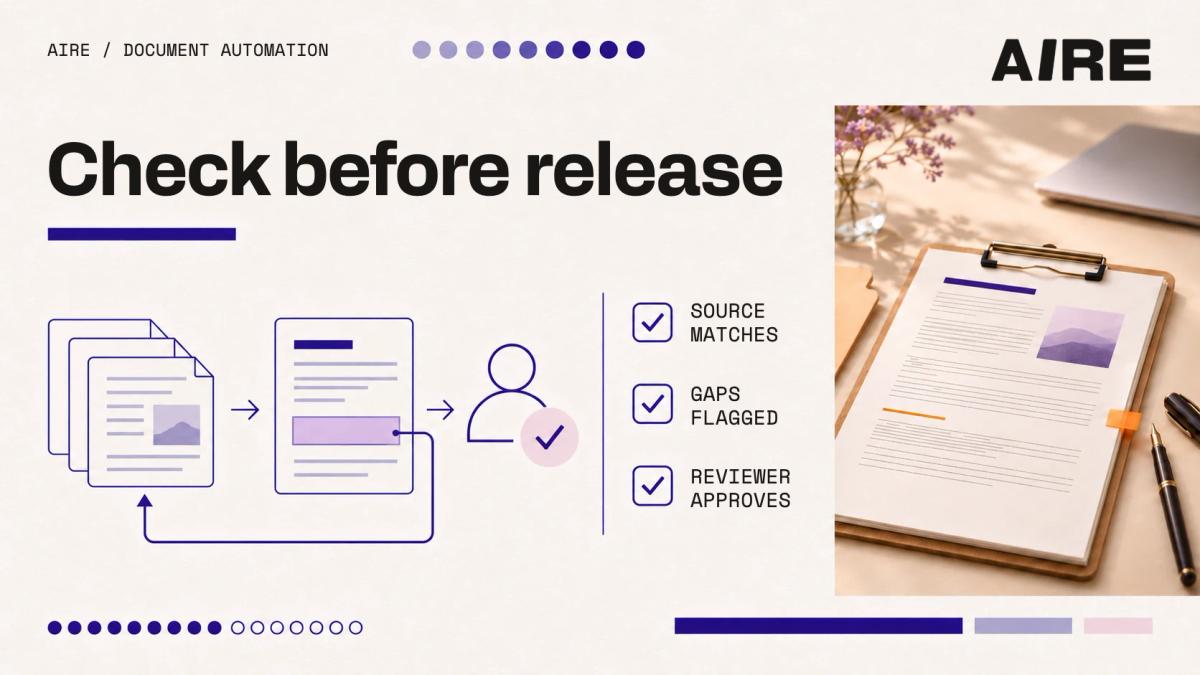
Name the reviewer and the release decision. For a proposal, AI can prepare a draft while pricing and contractual commitments remain subject to approval. The reviewer needs a practical checking method: a vague instruction to check everything can send them back through the whole manual process.
Write the smallest complete brief
The first version needs to complete a useful, bounded task. It can stop at a reviewed draft if sending or publishing sits outside the agreed scope. Copy this structure into your scoping document:
| Field | What to write |
|---|---|
| Workflow | The recurring document task |
| Volume and baseline | Documents per month; current preparation, review and correction time |
| Starts when | The trigger or request |
| Inputs | Required files, records and fields |
| Approved sources | Locations, versions and source owners |
| Output | Document type, template, destination and status |
| Rules | Required wording, calculations and matching rules |
| Must flag | Missing, ambiguous or conflicting information |
| Human approval | Who approves what before release |
| Out of scope | Actions and document types excluded from the first version |
| Success measures | Baseline, target and quality requirements |
| Support owner | Who handles failures and future changes |
Start with exports if they allow you to test the actual transformation. Add a live connection when its benefit and controls justify the extra work. A file-based test does not prove an integration will work, but it helps you establish whether the core document task is worth connecting.
Test routine work and difficult cases
Build the test set with the person who will review the output. Use examples that reflect the work, rather than selecting only tidy documents. Include cases with:
- Missing required fields.
- Conflicting dates or figures.
- An outdated template or source.
- Duplicate records or unclear identifiers.
- Poor-quality scans, if scans are in scope.
- Instructions or irrelevant material inside a source document.
Agree on expected behaviour for each case. Sometimes success means producing the document. Sometimes it means refusing to complete a section and explaining what is missing. A sample acceptance test: a proposal with no approved price must remain a draft and flag the missing price, and every material figure must match its approved source or be flagged for review.
Treat instructions inside source documents as document content. They must not override the workflow rules, change the output destination, grant access or trigger an unauthorised action. Include a test that confirms the workflow handles such instructions safely.
Set quality thresholds before the trial. Decide which errors prevent release, who records failures and when the workflow returns to manual handling. The National AI Centre recommends testing, monitoring and clear accountability as AI use becomes more complex (National AI Centre, 2025).
Measure the work that remains
Time the current task, including preparation and checking. Then measure the new workflow with the same boundary. Include input preparation, review, corrections, transfer into the destination system and support. A faster draft only creates value if the overall task improves.
An illustrative calculation
The following numbers are hypothetical. They are not AIRE client results or a forecast for your project.
| Measure | Manual process | Proposed workflow |
|---|---|---|
| Documents per month | 60 | 60 |
| Preparation time per document | 20 minutes | 6 minutes |
| Review and correction per document | 10 minutes | 6 minutes |
| Total document work per month | 30 hours | 12 hours |
| Additional workflow maintenance per month | Not included | 2 hours |
The example releases 16 hours per month after the maintenance allowance: 30 minus 12 minus 2 (derived). That is capacity, not automatic cash savings. One-off setup, testing and training also belong in the business case.
Record quality alongside time. Useful measures include correction effort, missed fields, false alarms, turnaround and whether the reviewer accepts the output.
Decide who maintains it
A working workflow needs an owner after the initial test. Templates change, source locations move and business rules evolve. Before handover, establish:
- Who maintains templates and approved source material.
- Who monitors failures and responds to users.
- How changes are requested, tested and approved.
- What is included in support and what requires new scope.
- How to pause the workflow and complete the task manually.
Give users a short operating guide that explains inputs, checks, approval and what to do when something is wrong. Our AI training for teams can support the people doing that work, so the process stays understandable to the people responsible for it.
Bring one document to the scoping conversation
Bring an approved finished example, representative inputs and the person who checks the work. That gives you a concrete basis for deciding what to automate.
If the opportunity needs further definition, our AI advisory work can help establish the scope. For implementation, see our automation and build services.
Have a document your team rebuilds every week? Bring it to a free call and we'll help you scope the first version.
Frequently asked questions
Do we need a custom build?
Not necessarily. First check whether an approved tool or existing template can handle the task. A custom build needs a specific reason, such as a required integration, control or document process that existing products cannot adequately support.
Must we connect every system first?
No. Exports can be enough to test a bounded document transformation. Live connections need their own access, failure-handling and maintenance decisions before production use.
Should we choose a tool before writing the brief?
Write a short initial brief first, then use it to compare products and test fit. Product constraints may change the scope, but the required output should stay clear.
Can we remove human review?
That depends on the use, risk and demonstrated reliability. For a first pilot, keep review of material facts and release decisions explicit. Do not remove it solely because routine examples look convincing.
Sources
We read each source on the date shown beside it. The calculation in this guide is hypothetical, and the example scopes are not client results.
- Microsoft, What is Azure Document Intelligence?. Read 12 November 2026.
- Office of the Australian Information Commissioner, Guidance on privacy and the use of commercially available AI products (21 October 2024, updated 17 January 2025). Read 12 November 2026.
- National AI Centre, Guidance for AI adoption: implementation guidance. Read 12 November 2026.
Related guides
- A one-page AI policy template for Australian organisations
Copy a one-page AI policy for Australian organisations: approved tools, what data may go in, who checks output, who owns AI risk, and how to roll it out.
- Automated decisions and the Privacy Act: what changes on 10 December 2026
From 10 December 2026, privacy policies must disclose automated decisions that use personal information. What APP 1.7 requires and a 90-day checklist.
- What AI consulting costs in Australia
What an AI consultant costs in Australia: AIRE's own prices, what federal AI advisory contracts on AusTender show, and how to compare quotes.